Step by step
What you're doing in the recording — and why each step matters.
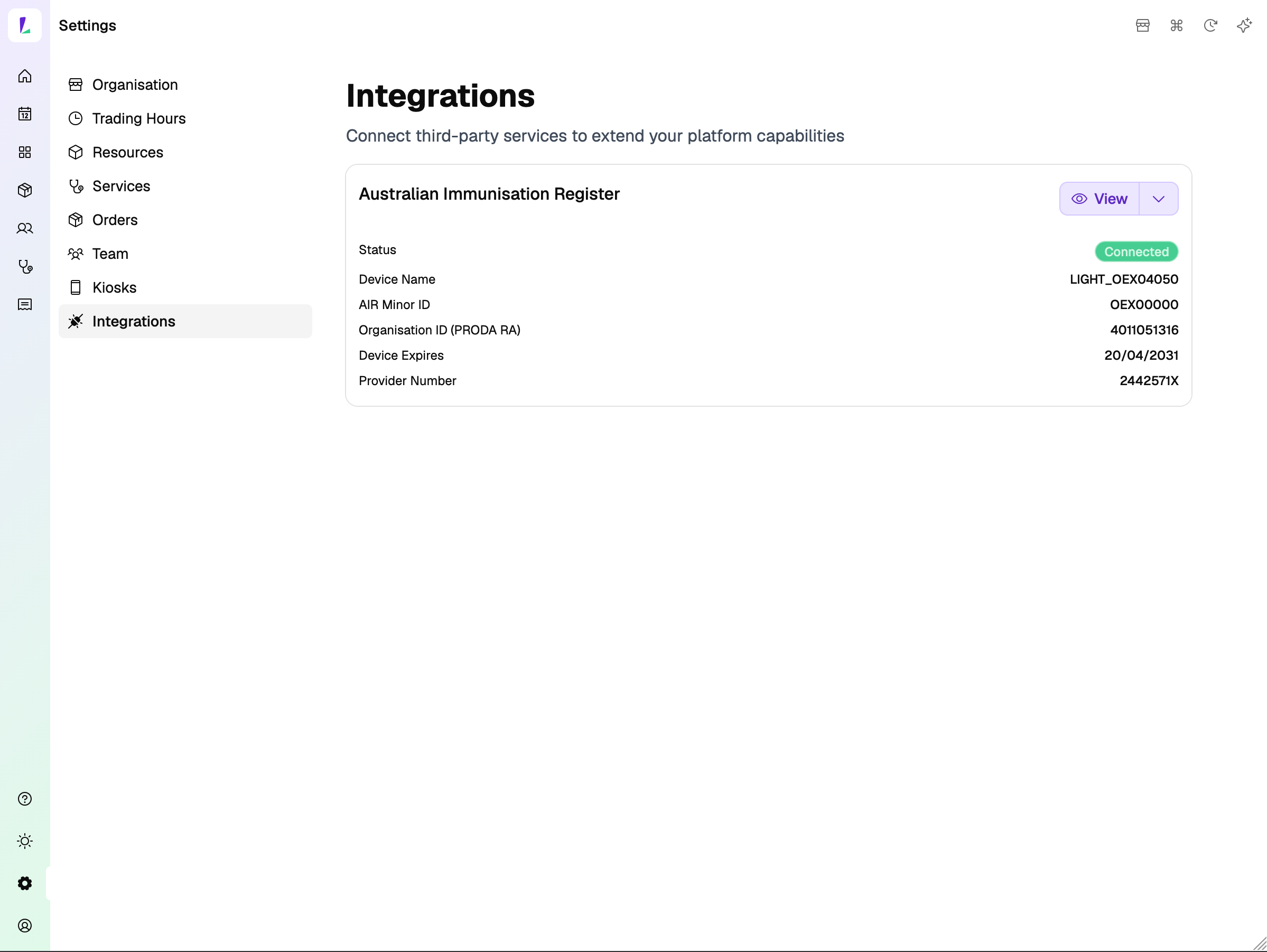
Find the AIR integration
Before you start, make sure you have your AIR Provider Number and Organisation ID (PRODA RA) on hand.
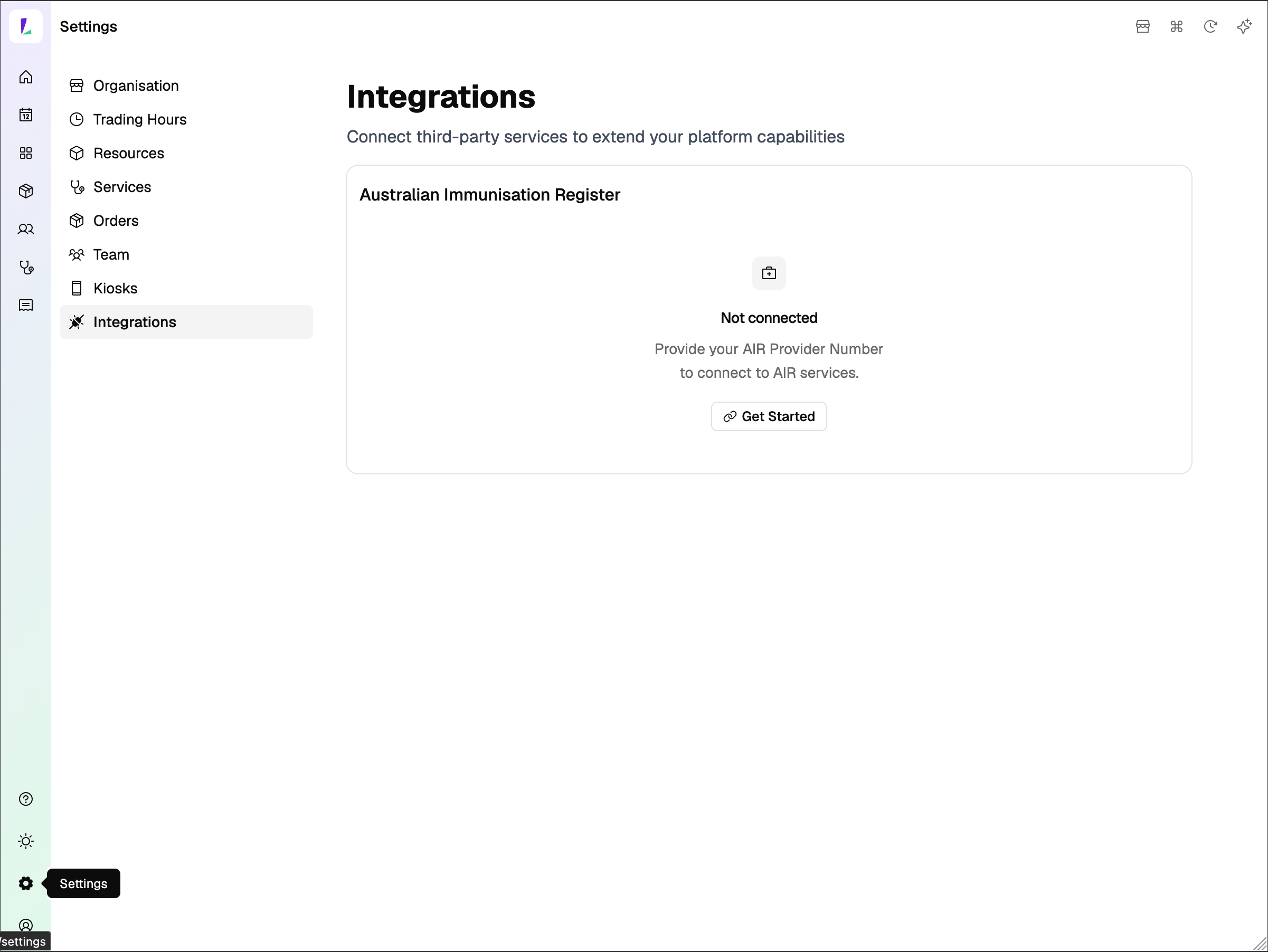
Head to Settings, then select Integrations from the left menu. You'll see the Australian Immunisation Register card here. Click Get Started.
Register your device with PRODA
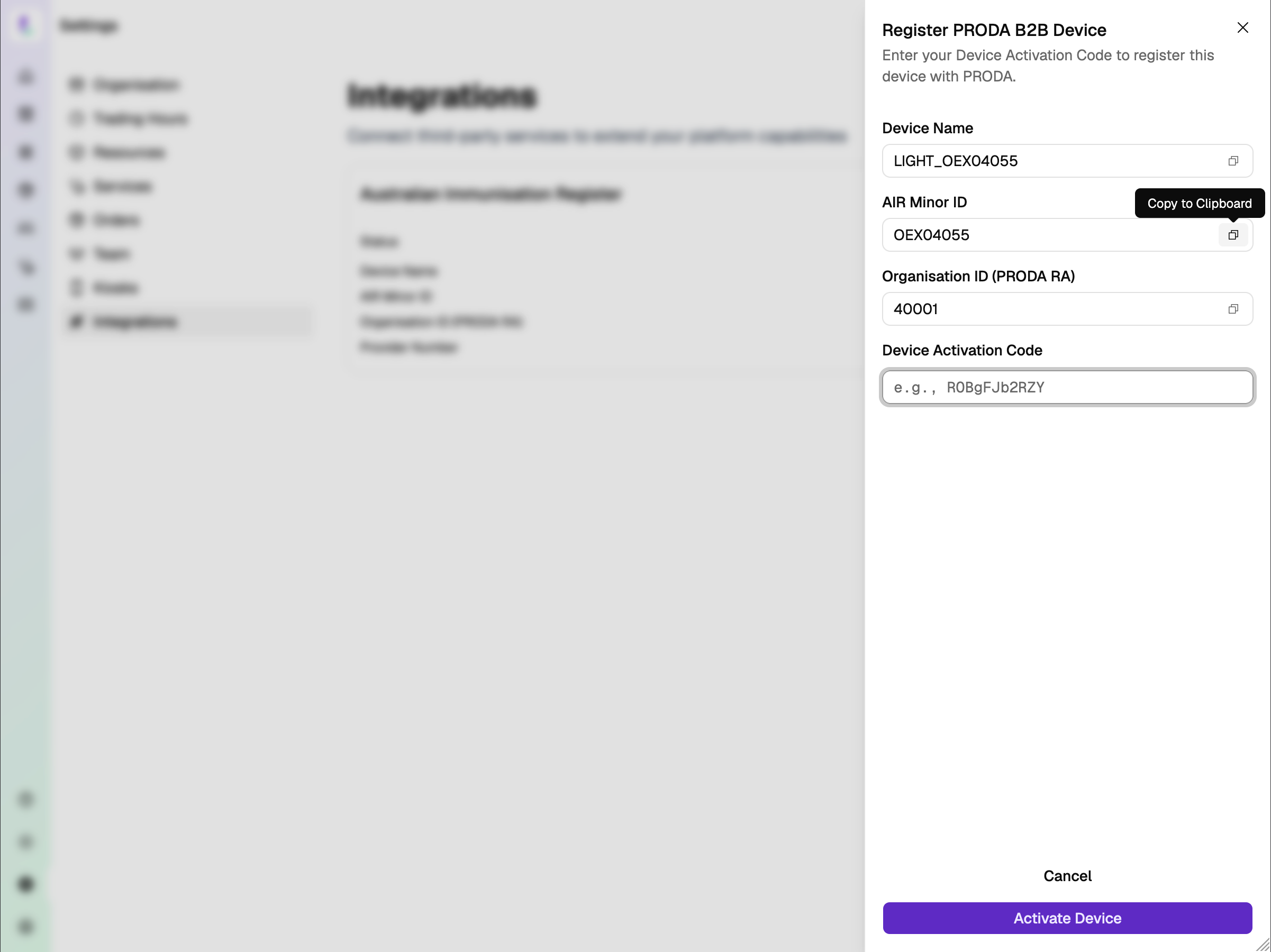
Light generates your Device Name and AIR Minor ID for you — no need to create these yourself.
Copy and paste both into PRODA to generate your Device Activation Code, then enter it here and hit Activate Device.
Notify Services Australia
Complete the form with the AIR Minor ID and Organisation ID (PRODA RA). Complete the form: servicesaustralia.gov.au/hw027
Wait for Services Australia
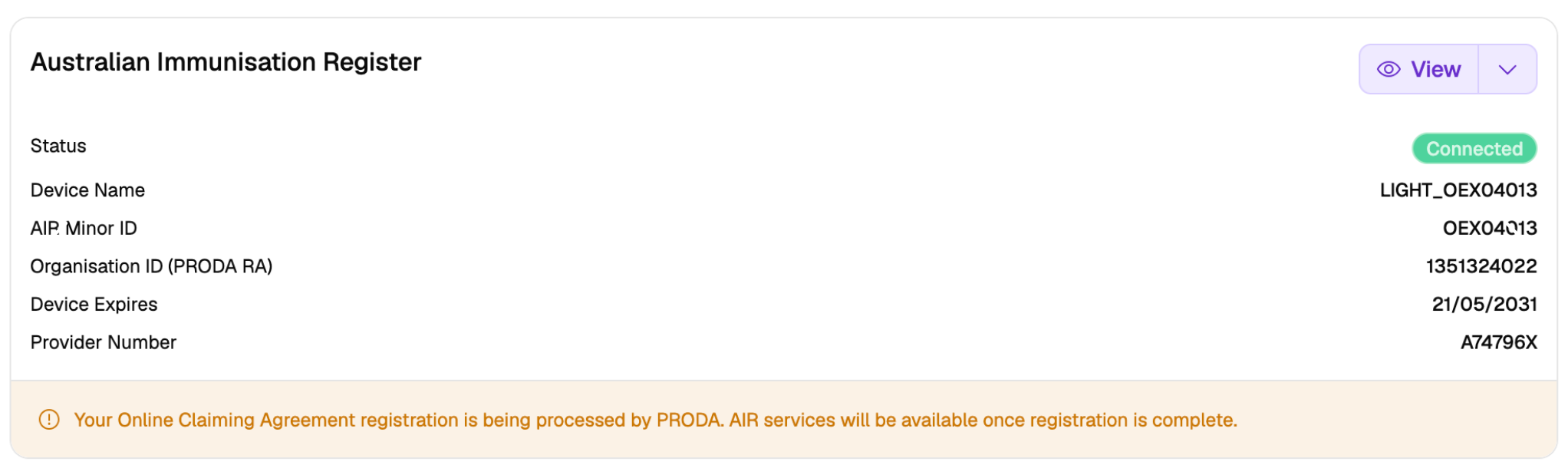
After submitting your HW027 form, you'll see a notice confirming your Online Claiming Agreement registration is being processed by PRODA. AIR services will be available once registration is complete.
This typically takes 2–5 business days. You don't need to do anything else — your status will update automatically once confirmed.
Connected — your AIR authorisations
Here's an example of a site that's been connected. Once Services Australia processes your registration, your status updates to Connected.
You can see all your AIR authorisations right here — device name, AIR Minor ID, PRODA RA, expiry date, and provider number. You're ready to start reporting vaccinations to AIR directly from Light.