Connect to AIR.

Connect Light to the Australian Immunisation Register and start reporting vaccinations directly.

~3 minutes
Pharmacy Owner / Manager
What you'll need from PRODA
AIR Provider Number
Organisation ID
Device Activation Code
Important
After submitting your HW027 form, Services Australia processes registrations within 2–5 business days. You won't be able to report vaccinations to AIR until this has been confirmed.
Settings · Integrations
The setup

Step by step

What you're doing in the recording — and why each step matters.

Step 01

Find the AIR integration

Before you start, make sure you have your AIR Provider Number and Organisation ID (PRODA RA) on hand.

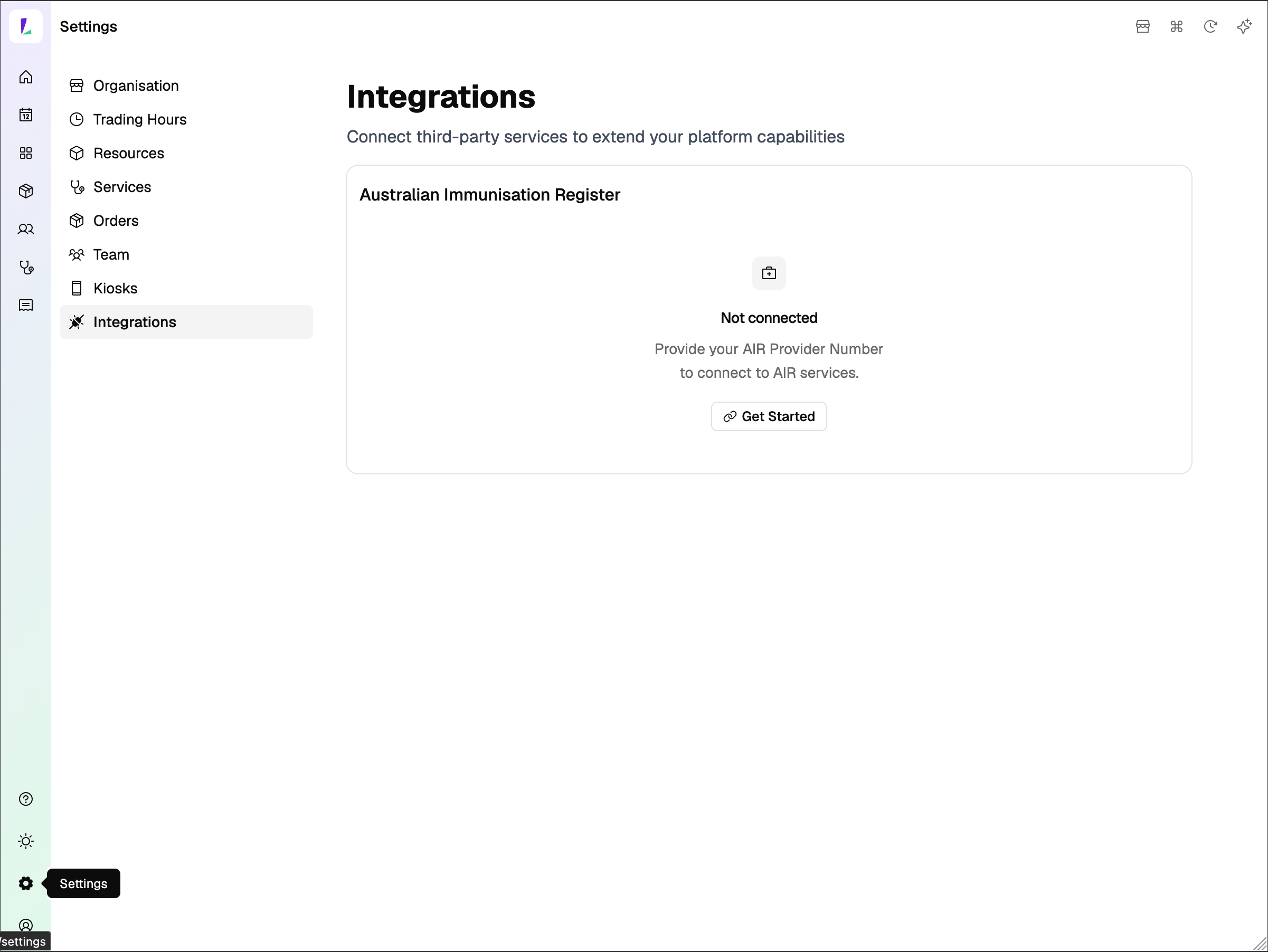
Head to Settings, then select Integrations from the left menu. You'll see the Australian Immunisation Register card here. Click Get Started.
Screenshot
Settings — Integrations page, AIR not connected
Step 02

Register your device with PRODA

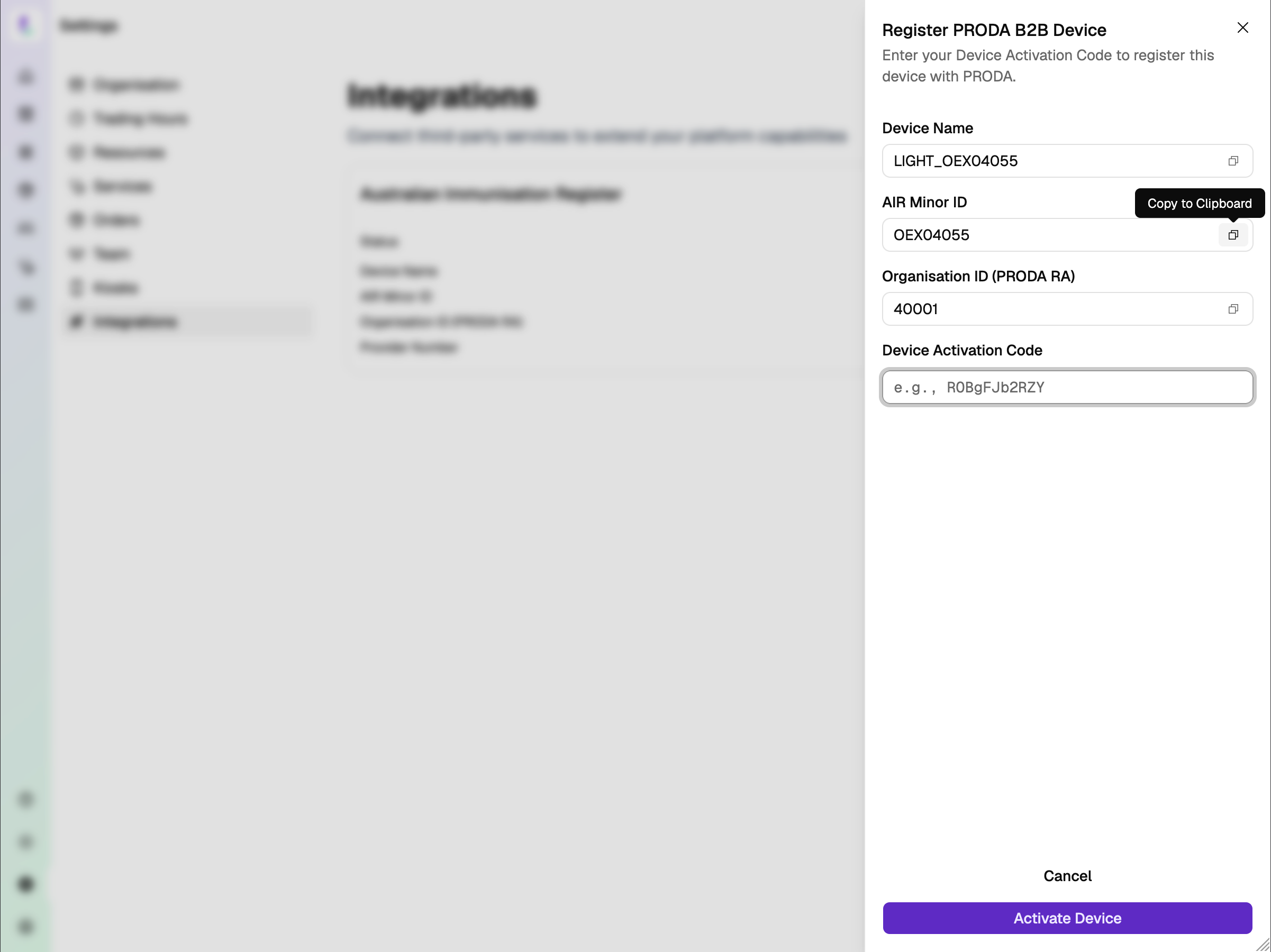
Light generates your Device Name and AIR Minor ID for you — no need to create these yourself.

Copy and paste both into PRODA to generate your Device Activation Code, then enter it here and hit Activate Device.
Screenshot
Register PRODA B2B Device modal
Step 03

Notify Services Australia

Complete the form with the AIR Minor ID and Organisation ID (PRODA RA). Complete the form: servicesaustralia.gov.au/hw027

Processing time: Services Australia typically processes HW027 registrations within 2–5 business days. Your AIR connection status in Light will update to "Connected" once your registration has been confirmed.
Step 04

Wait for Services Australia

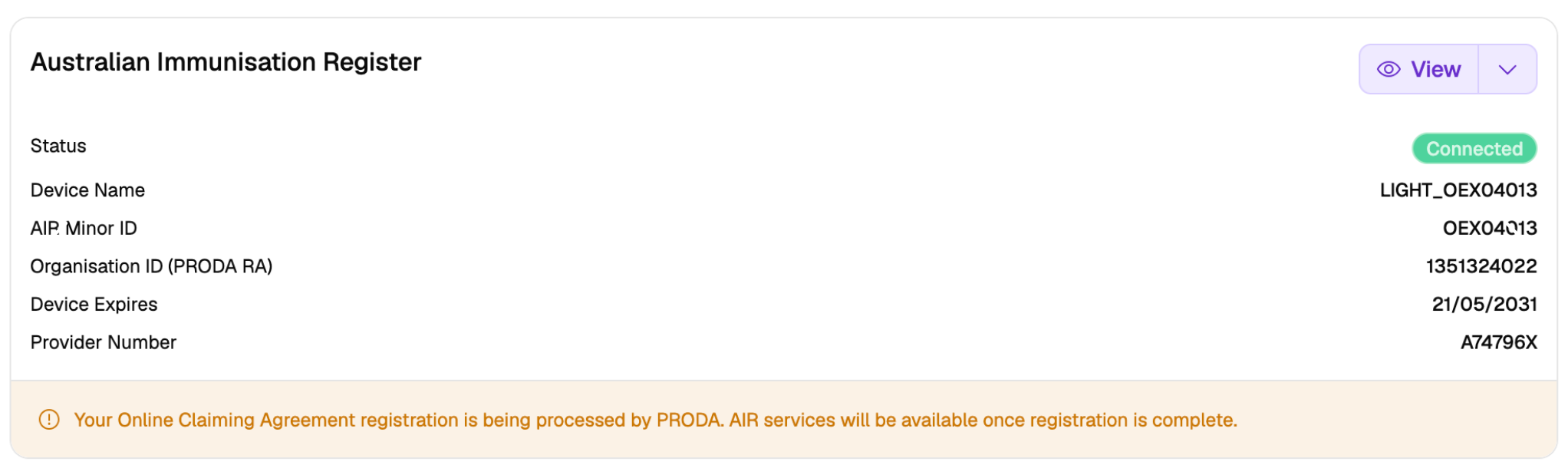
After submitting your HW027 form, you'll see a notice confirming your Online Claiming Agreement registration is being processed by PRODA. AIR services will be available once registration is complete.

This typically takes 2–5 business days. You don't need to do anything else — your status will update automatically once confirmed.
Screenshot
AIR registration being processed by PRODA
Step 05

Connected — your AIR authorisations

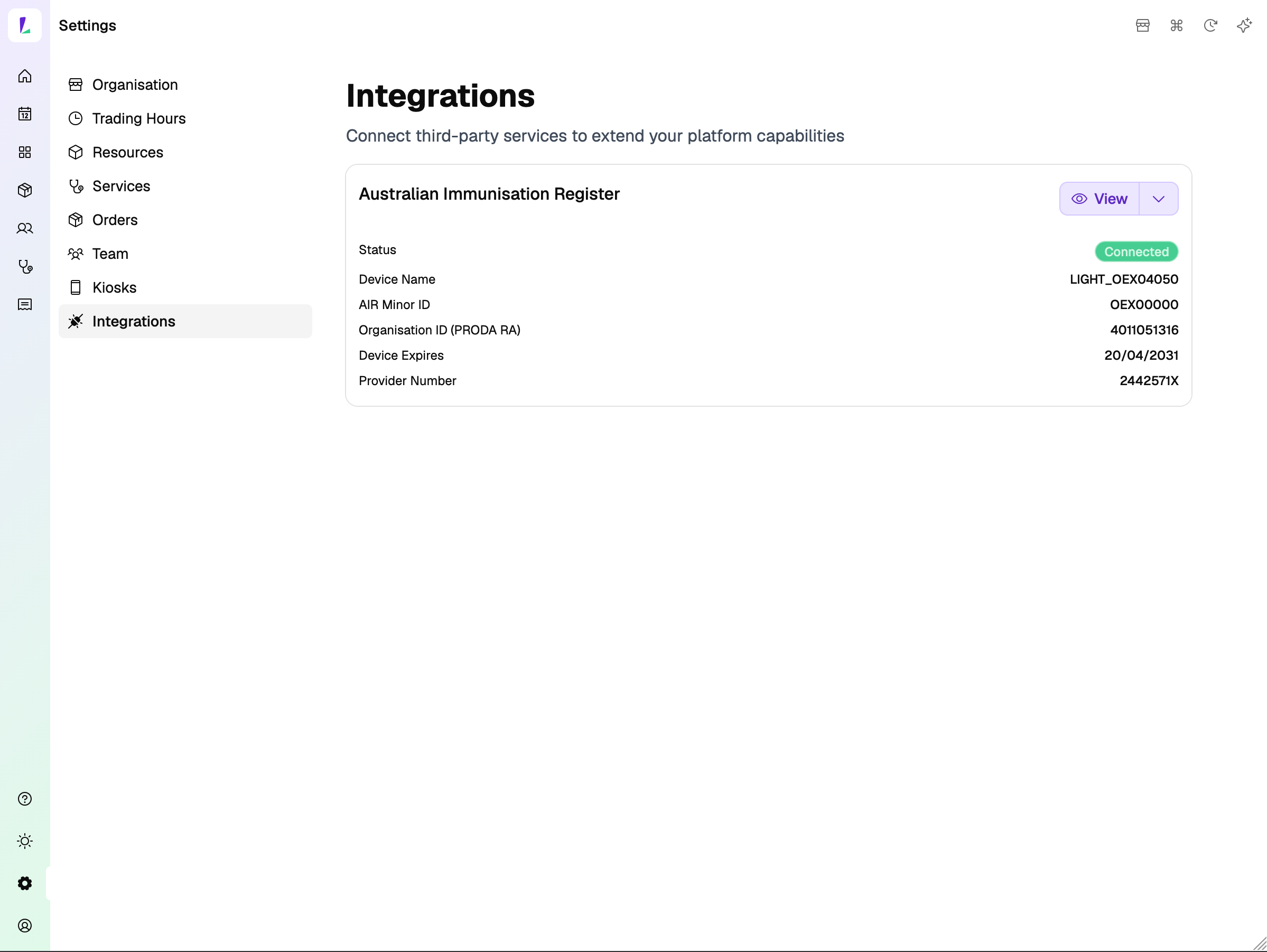
Here's an example of a site that's been connected. Once Services Australia processes your registration, your status updates to Connected.

You can see all your AIR authorisations right here — device name, AIR Minor ID, PRODA RA, expiry date, and provider number. You're ready to start reporting vaccinations to AIR directly from Light.
Screenshot
AIR integration connected — Sandy Bay

What you've covered

This is a one-time setup per site. Once connected, AIR reporting happens automatically every time an encounter is recorded in Light.

Screens & recordingsContent reflects Light at the time of publishing. The platform updates regularly — we do our best to keep training materials current.
Pharmacy Groups & EnterpriseIf your pharmacy is part of a group or enterprise account, your implementation may differ from what's shown here. Follow your group's guidelines or speak to your Oexa contact.
Professional obligationsAs a registered health professional, you remain responsible for complying with all applicable legislation, state-based guidelines, and mandatory requirements relevant to your scope of practice. This guide does not override those obligations.
For pharmacy staff onlyScreenshots and recordings are intended to help pharmacy staff learn to use Light. They are not promotional material and should not be shared with health consumers.
© Oexa Pty Ltd